Long term value of ergonomic equipment for employers
Ergonomic equipment can deliver value well beyond its initial cost, but there is no single payback period for every workplace. The long term value of ergonomic equipment depends on how it supports daily work: reducing physical demands, helping tasks run smoothly and limiting disruption from injuries or absence.
It is reasonable to want prevention spending to show clear results. Its impact can appear across several measures, including injury-related costs, lost workdays, staff retention and task efficiency. The timing depends on the work, its physical demands and how well the equipment suits employees and their tasks.
This article explains how ergonomic equipment can affect productivity, retention, injury costs and lost workdays, and what to consider when buying. It also explores why fit, adjustability, durability and integration with existing processes matter when assessing value over time, rather than judging a purchase by its upfront cost alone.
Table of Contents
Productivity, absenteeism, and employee retention
Ergonomic equipment can support productivity by reducing unnecessary effort in everyday tasks. Repeatedly reaching, bending, lifting or repositioning items takes time and adds physical demand. Equipment that brings loads or materials within easier reach can streamline work, helping staff focus on the task rather than compensate for an awkward setup.
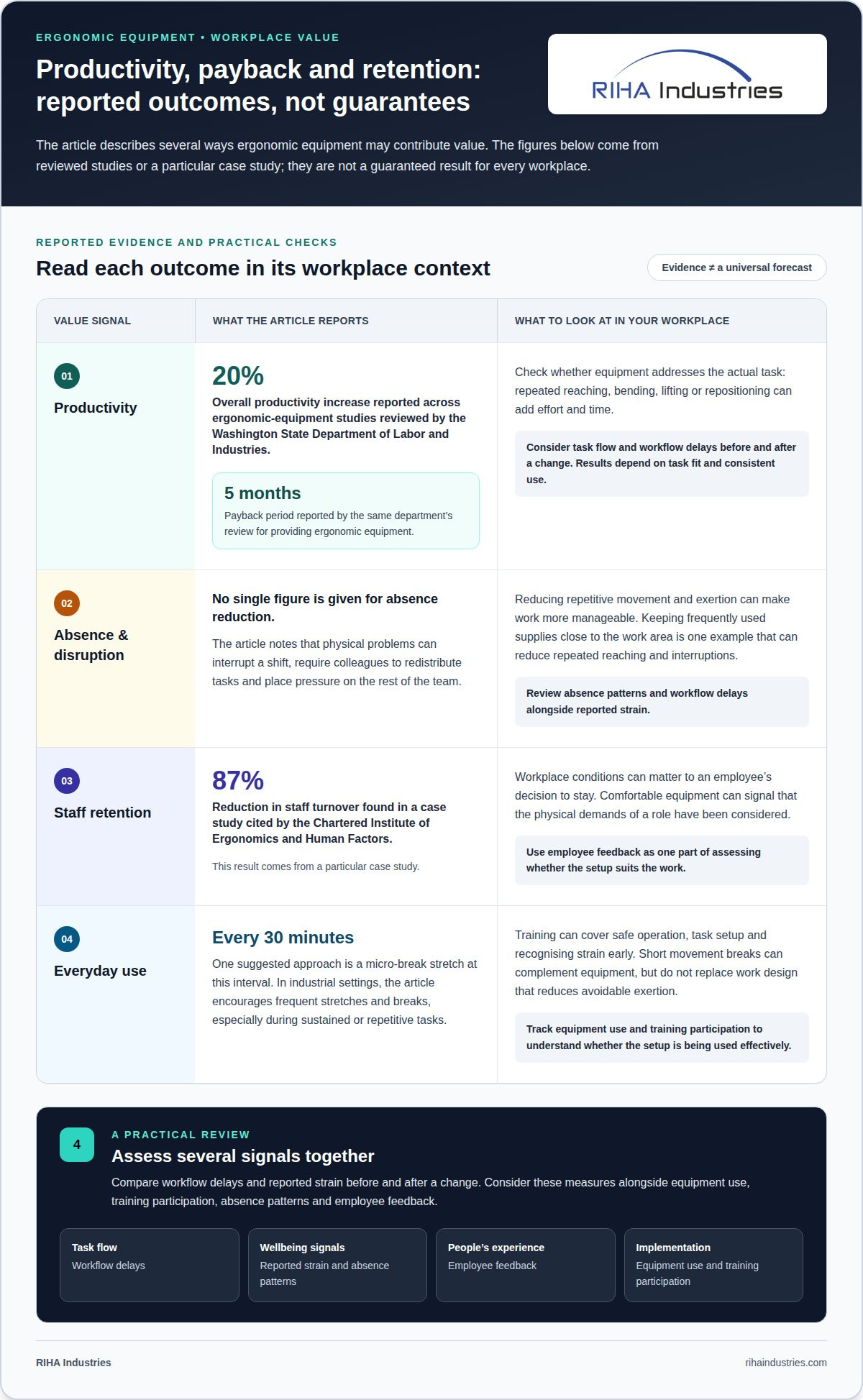
Studies reviewed by Washington State Department of Labor and Industries reported an overall productivity increase of 20% in the ergonomic-equipment studies they examined. The same department’s review reported a five-month payback period for providing ergonomic equipment. These are findings from reviewed studies, not a timetable that applies to every workplace. The practical return depends on how well the equipment addresses the actual task and how consistently employees use it.
Absence affects output beyond the hours an injured employee misses. A physical problem can interrupt a shift, force colleagues to redistribute tasks and place pressure on the rest of the team. Reducing repetitive movement and exertion can make work more manageable. For example, keeping frequently used supplies close to the work area can cut repeated reaching and reduce interruptions.
Retention is another part of the business case. A case study cited by the Chartered Institute of Ergonomics and Human Factors found that staff turnover was reduced by 87%. That result comes from a particular case study, but it highlights how workplace conditions can matter to an employee’s decision to stay. Comfortable equipment can signal that an employer has considered the physical demands of a role, rather than treating discomfort as an unavoidable part of the job.
Training helps employees use equipment as intended. In industrial settings, regular sessions can cover safe operation, task setup and recognising strain early. A practical session might show how to position a load before moving it, then let employees practise within their own workflow. Training also gives staff a shared approach, so safe practices do not rely solely on individual experience.
Short movement breaks can complement equipment, rather than replace it. One suggested approach is a micro-break stretch every 30 minutes. In industrial settings, encourage frequent stretches and breaks, especially where a task involves sustained or repetitive movement. Dedicated wellness areas featuring therapeutic seating, such as models featured at elitechairs.com.au, can also assist staff in easing muscle stiffness during extended pauses. A brief pause can help employees reset their posture before continuing; the work design should still reduce avoidable exertion.
Comfort can also support concentration and satisfaction. A worker distracted by pressure, awkward reach or persistent physical discomfort may find it harder to stay focused on a demanding task. Adjustments that suit the person and the job can reduce those distractions and make work more manageable. This can support mental clarity, but it does not replace addressing workload or other sources of stress.
Assess several outcomes together when investing: task flow, absence patterns, employee feedback and equipment use. A straightforward review can compare workflow delays and reported strain before and after a change. Tracking these measures alongside training participation helps employers see whether equipment is being used effectively and where further adjustments could improve daily work.
Adjustability, durability, and buying considerations
A workstation works well when it suits the employee and task, rather than forcing an awkward posture. Adjustability can accommodate differences in body dimensions, work habits and duties. For example, a chair with adjustable seat height, lumbar support and tilt can help support a suitable seated position. A sit-stand desk lets employees alternate between sitting and standing during prolonged desk work.
Fit depends on how employees actually use each workstation. Adjust the chair so the employee’s feet rest flat and thighs sit parallel to the floor. Set the desk so elbows can rest at a 90-degree angle, helping wrists remain neutral. A monitor arm can position the screen at eye level and allow flexible placement. These adjustments make the setup more practical than relying on one fixed arrangement for everyone.
Good workstation design considers the whole task, not just one piece of furniture. Keep frequently used items within comfortable reach and leave enough room for the employee’s usual movements. A keyboard tray can help align wrists with elbows, while a monitor arm can free desk space and reposition the screen. In industrial settings, adjustable workstations can better suit different tasks and employees.
A modern ergonomic workstation should accommodate 90% of its users with ease. For the 10% it does not readily suit, an accessory such as a stool can improve comfort. This is a useful buying consideration: evaluate how the main setup fits the workforce, then identify which accessories address specific gaps. A single size or configuration may not serve every person or task equally well.
Durability also shapes value over time. Ergonomic furniture made from durable, high-quality materials may last longer under daily use than cheaper, non-ergonomic options. Assess the frame, moving parts and surfaces as well as comfort. Breathable mesh, high-density foam and sturdy frames are examples of materials to consider. Choosing equipment designed for repeated workplace use can reduce the need to replace items that wear quickly.
Safety and durability standards provide another basis for comparison. This article’s buying guidance recommends ergonomic products that comply with ANSI/BIFMA standards. Treat compliance as one factor alongside fit, adjustability and build quality. For a chair, consider whether lumbar support, seat-height adjustment and tilt suit its intended use. For a desk, assess whether the height adjustment supports the work pattern.
Before buying, map the workstation and the tasks employees perform there. Note whether work involves prolonged sitting, frequent screen use, repeated reaching or switching between seated and standing duties. Match features to those demands. For example, a laptop setup may benefit from a stand paired with an external keyboard and mouse. This allows screen position and hand placement to be adjusted separately.
Assess comfort in the context of daily work, not as a first impression in isolation. Consider whether employees can adjust the equipment easily, reach essential tools and maintain a workable posture through routine tasks. Practical trials with employees can reveal fit issues before a wider purchase. A sound investment suits the workspace, withstands regular use and can be adjusted as needs vary.
Musculoskeletal disorder reductions
Reducing awkward movement at work can lower physical demands associated with musculoskeletal disorders. These conditions affect muscles, joints, tendons and other parts of the body. Repetitive keyboard use, sustained reaching and repeated lifting are examples of tasks that can create strain. Ergonomic changes focus on how work is done and how equipment positions the worker.
Across ergonomic-equipment studies reviewed, the median decrease in musculoskeletal disorders was 56%. A case study cited by the Chartered Institute of Ergonomics and Human Factors reported a 61% reduction. These results show the scale of change recorded in particular studies, rather than a standard outcome for every workplace. The work, equipment and implementation all shape the result. The long term value of ergonomic equipment becomes clearer when employers assess whether changes address the physical demands behind these outcomes.
For employers, the useful starting point is identifying where repeated physical demands occur. A workstation task might involve reaching across a desk for supplies throughout the day. In a warehouse, workers might repeatedly twist or bend while moving products. Each example points to a different response: reposition frequently used items or change how loads are presented and moved.
Observe the task from beginning to end. Note where employees reach, twist, bend, grip or hold one position. Then consider whether equipment can bring the work closer, support a neutral posture or reduce repeated handling. Moving supplies within easy reach, for example, can reduce repeated shoulder extension. Adjusting a workstation can also change the position of the hands, arms and screen.
Computer work illustrates why small, repeated movements matter. A study of nearly 7,000 computer operators found that prolonged mouse and keyboard use corresponded with wrist and hand pain conditions. Keeping wrists aligned with elbows and positioning the keyboard and mouse within comfortable reach can reduce awkward positioning. These changes target the way employees interact with their equipment, not simply the time spent at a desk.
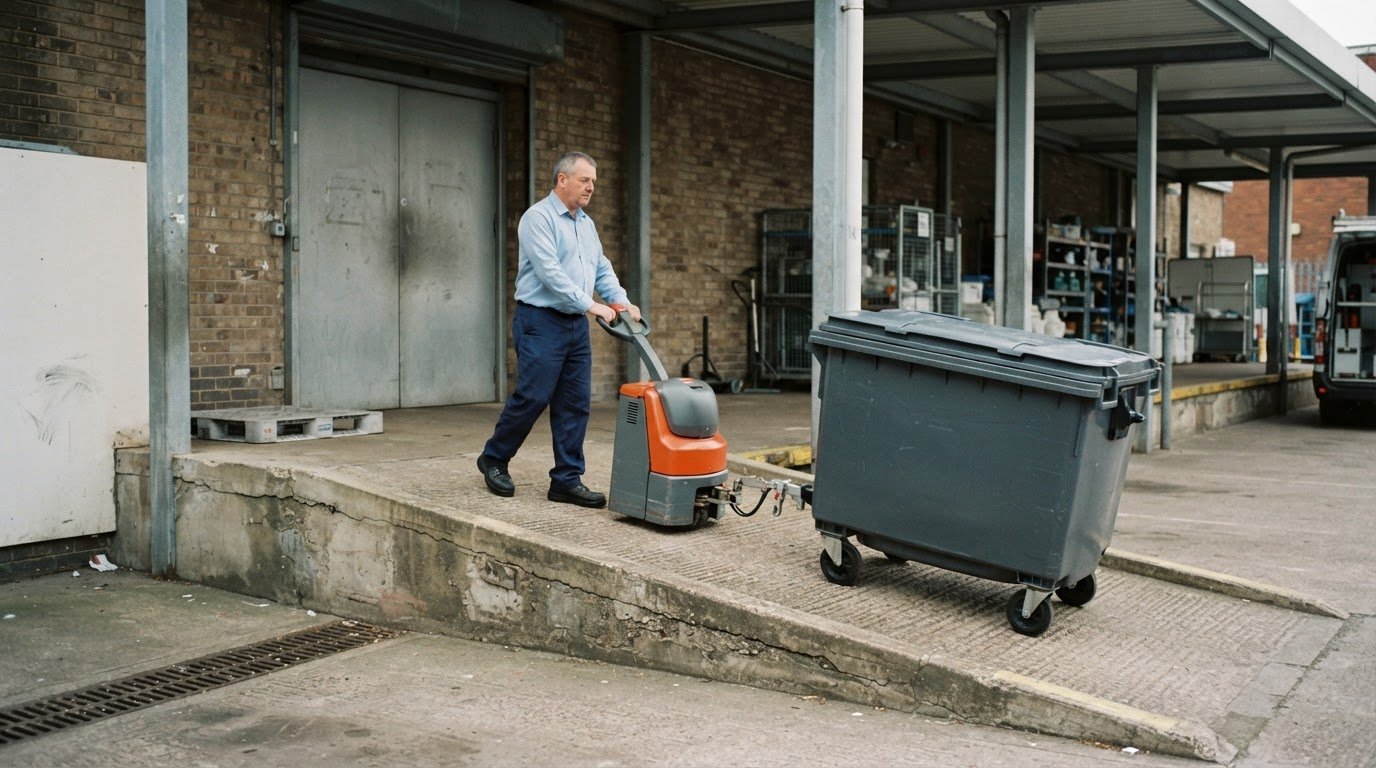
Equipment should address physical demands beyond desk-based work too. Warehouse ergonomic equipment can help employees maintain a suitable posture and reduce twisting and bending while moving products. A pallet positioner or rotator, for example, can reposition a completed pallet with less effort. The right choice depends on which movement causes strain and where it occurs in the workflow.
Health improvements may develop alongside changes in discomfort and work patterns. A 2016 study published in the American Journal of Preventative Medicine found that an active workstation allowing even moderate activity significantly reduced health risks. This illustrates how workstation design can influence movement during work. It does not make equipment a substitute for medical assessment when an employee experiences persistent pain or other symptoms.
Follow-up helps employers see whether an intervention addresses the cause. The city of Redmond, Washington, reported sharply reduced employee complaints after one year with new ergonomic workstation equipment. A practical review can compare the original movement, employee feedback and any reported discomfort after changes. If employees still need to twist or reach repeatedly, the equipment position or workflow may need further adjustment.
To assess the long term value of ergonomic equipment, match each intervention to the physical demand. Repetitive hand movements call for a different response from frequent bending or load handling. Reviewing tasks, positioning equipment appropriately and following up on employee feedback helps direct investment towards the source of strain, rather than treating discomfort as an unavoidable part of work.
Worker’s compensation and lost workdays
Work-related injuries can affect compensation costs, staffing and workplace efficiency at the same time. In the United States, overexertion from lifting, pushing, pulling, holding and carrying costs employers $13.07 billion in annual workers’ compensation costs. It is identified as the leading cause overall and in manufacturing. These figures show why employers examine physical demands before an injury interrupts work.
Lost workdays reflect more than an employee’s absence. When a worker cannot perform their usual duties, colleagues may need to cover tasks, production may slow and overtime may be required. In a warehouse, an injury during repeated product handling can interrupt a shift while a replacement is found. Well-designed equipment can help reduce physical demands while supporting a more consistent workflow.
A NIOSH follow-up audit recorded 610 lost or restricted workdays per 100 workers before the reported reduction following ergonomic improvements. After five years of ergonomic improvements, the audit recorded 190 lost or restricted workdays per 100 workers. NIOSH also reported that lost or restricted workdays fell by more than 50 percent after five years of ergonomic improvements. The figures illustrate how sustained changes can affect work capacity over time.
Other reviewed ergonomic-equipment studies reported an 80% decrease in lost workdays. A case study cited by the Chartered Institute of Ergonomics and Human Factors found an 88% reduction. These results come from separate studies and should be read in their own context. The role, starting conditions, equipment and way changes are implemented all influence what an employer may observe.
Worker’s compensation outcomes can shift alongside those absences. The median decrease in workers’ compensation reported in the reviewed ergonomic-equipment studies was 70%. Ergonomic safety precautions, training and equipment can help reduce claims related to work-related health issues. For example, equipment that reduces strenuous lifting may address a specific source of overexertion, while training helps workers use the intended method consistently.
To assess whether an intervention addresses the cause, connect workplace records with the tasks being changed. Compare reported injury types and lost or restricted workdays with the relevant process. For a task involving loads, examine the lifting, pushing and carrying demands. For repeated reaching at a workstation, consider whether the layout or equipment position contributes to the movement.
Track the change over time. Record when an equipment or process adjustment is introduced, explain its intended use and ask workers how it affects the task. This helps show whether equipment is being used as intended or whether the workflow still requires awkward effort. Training supports correct use, but equipment and task design must address the physical demand itself.
These measures help employers evaluate prevention through both human and operational outcomes. Claims, absence and restricted duties reflect different effects, so no single measure captures the full picture. Reviewing them together can show whether ergonomic changes support safer work and maintain efficiency. Sustained follow-up matters: the NIOSH audit’s five-year results show that changes in lost workdays can be assessed over an extended period.
RIHA Industries
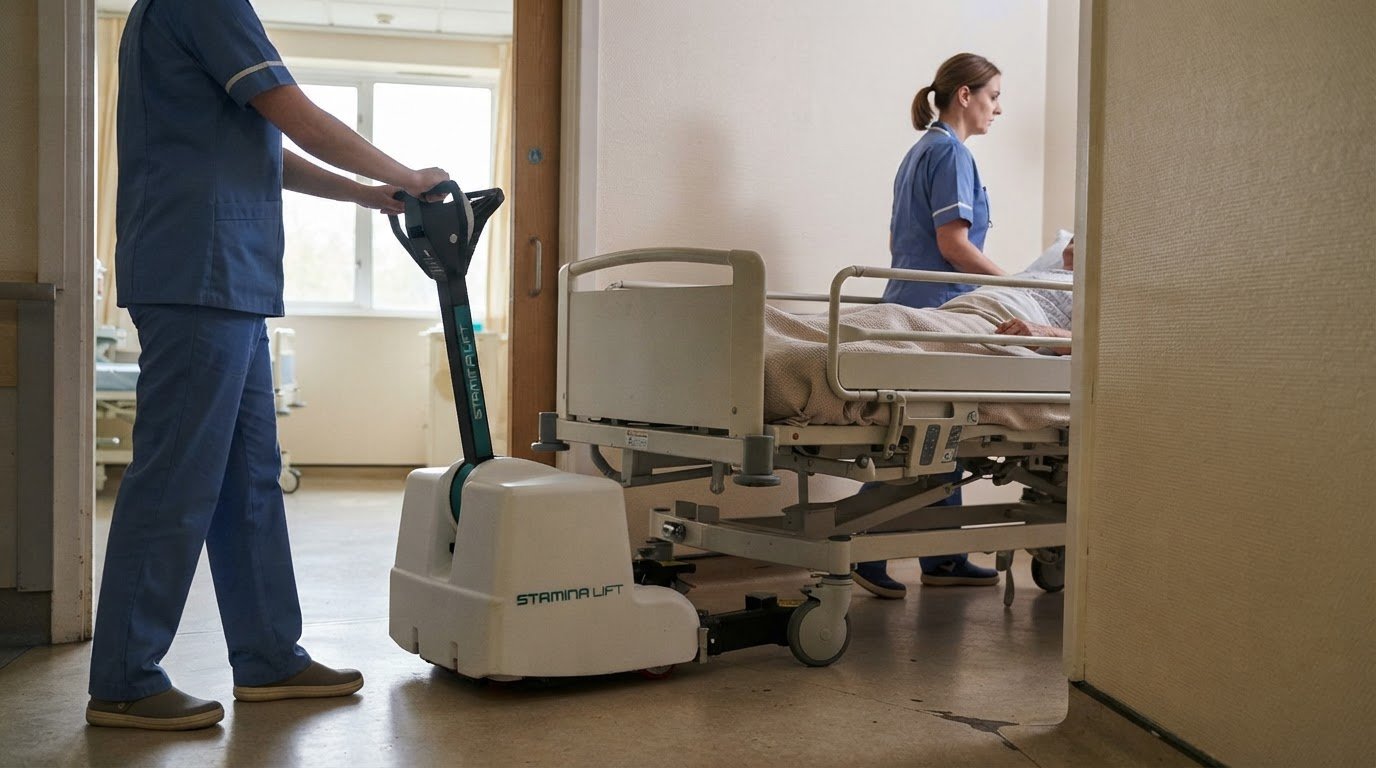
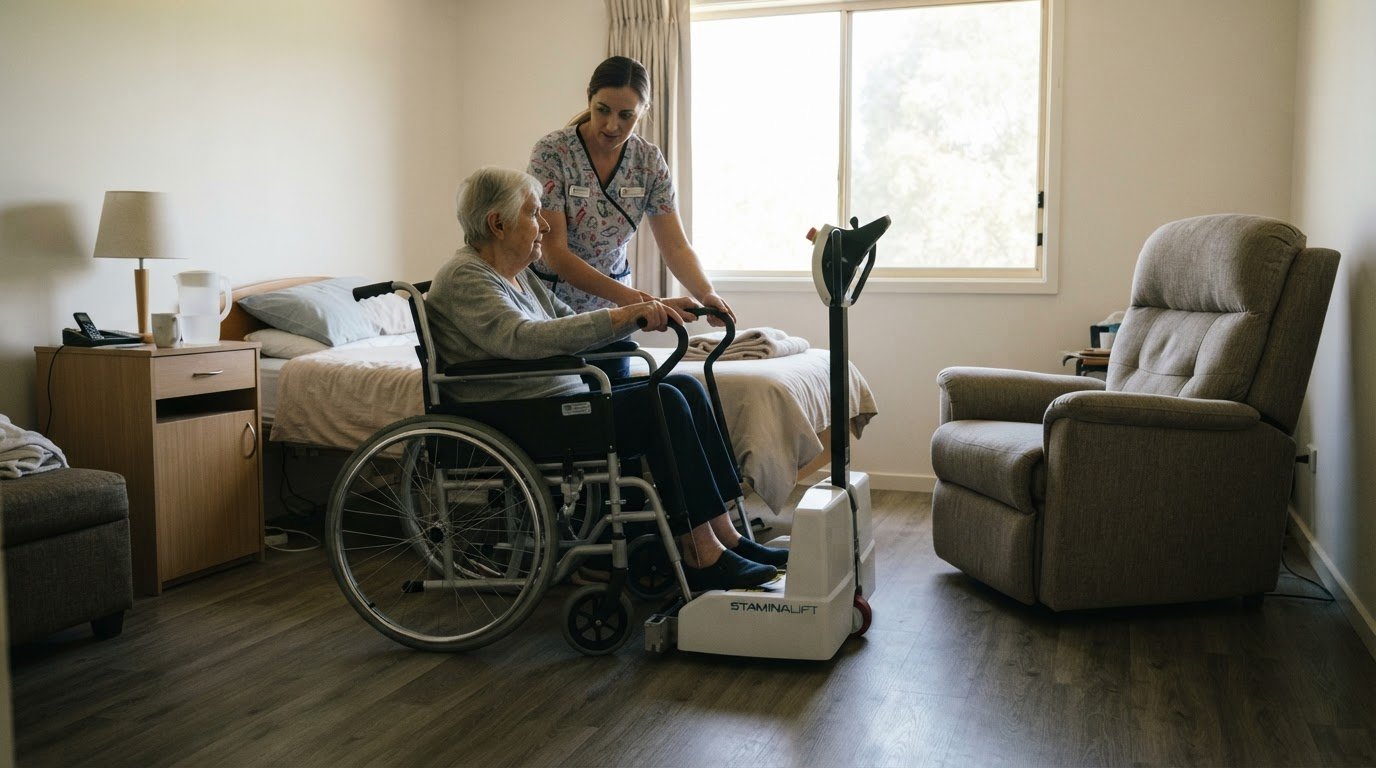
RIHA Industries helps healthcare employers address physical demands in patient transfers, bed movement and handling heavy loads. Its equipment is relevant when workplace assessments identify tasks that place repeated physical demands on staff and existing processes need practical support.
The StaminaLift Transfer System 5000, StaminaLift Transfer System 6000 and StaminaLift 2100 Bed Mover are designed to integrate with existing hospital equipment. For teams moving heavy loads, the Easi Rider tug can assist staff with that task. The right option depends on the movement challenge and how equipment fits the workplace workflow.
Considering ergonomic equipment for healthcare tasks? Contact RIHA Industries to discuss the work your team needs to carry out.
Make your next equipment decision count
The long term value of ergonomic equipment depends on how well it supports real work after installation. Treat the purchase as part of a broader workplace improvement: identify the task, define what needs to change and consider how employees will use the equipment within existing routines. This makes the decision more practical than selecting equipment by features alone.
For healthcare teams, start with the movement or handling challenge that needs attention. Consider how a solution will fit the work environment, connect with existing equipment and support staff in essential tasks. A clear understanding of these requirements brings operational needs and employee wellbeing into the same decision.
RIHA Industries can help you explore equipment options for patient transfers and moving beds or heavy loads. Contact RIHA Industries to discuss ergonomic equipment and consider a considered next step for your workplace.
Frequently Asked Questions
How soon does prevention spending show up in the numbers?
The impact of prevention spending becomes visible through changes in workplace indicators, not just one measure. Start by recording equipment use and task completion, then compare these with later absence, restricted-duty and injury records. Early operational changes may be easier to spot than longer-term workforce outcomes. Review results regularly using the same measures and definitions, so changes in reporting are not mistaken for improvement or decline.
What are the long-term health benefits of ergonomic equipment?
Suitable equipment can support more comfortable working positions and reduce avoidable physical strain during routine tasks. Screen-based work also places demands on the eyes: computer vision syndrome can involve irritation, dryness, double vision or blurred vision, as well as headaches and neck, shoulder or back pain. For screen users, the 20-20-20 rule offers a practical eye break: look 20 feet away for 20 seconds after every 20 minutes of looking at work.
How does ergonomic equipment affect productivity and absenteeism over time?
Assess its effect by looking at workflow and employee attendance over time. For example, a team can record whether a task regularly falls behind, then compare completion patterns after a relevant equipment change. Attendance records provide a separate view of disruption. Keep the role, task and reporting method consistent across periods, so changes in staffing or workload do not distort the comparison.
How do you calculate the return on investment of ergonomic equipment?
Calculate ROI by subtracting the total investment from measured benefits, dividing that result by the investment, then multiplying by 100. Include relevant benefits such as reduced injury-related disruption, fewer absence costs and productivity changes. Count the full investment across purchase, implementation, training and upkeep. Use the same review period for costs and benefits, and state your assumptions clearly so decision-makers can understand what the result includes.
What are the risks of poorly adjusted or low-quality ergonomic equipment?
Poorly adjusted equipment can leave a worker in an awkward position or shift physical demands elsewhere. A chair set too high, for example, may leave feet unsupported; a poorly placed screen can encourage repeated neck movement. Low-quality equipment may also wear out or become unreliable during routine work, causing interruptions and replacement needs. A mismatch between equipment, task and user can undermine its intended benefit instead of addressing the underlying demand.
How can you choose ergonomic equipment that fits your needs and budget?
Prioritise purchases by identifying tasks of greatest concern, then compare each option with the needs of that task. Assess the total ownership picture, including implementation, staff instruction, upkeep and replacement planning, rather than considering purchase cost alone. If a full workplace change is not practical at once, sequence decisions around the most pressing demands. Record why each option was chosen to make later reviews more useful.